
In this blog post, we will see how to check battery capacity and battery health report of your computer. Just follow below steps:
Step 1: Open your elevated Command promt .
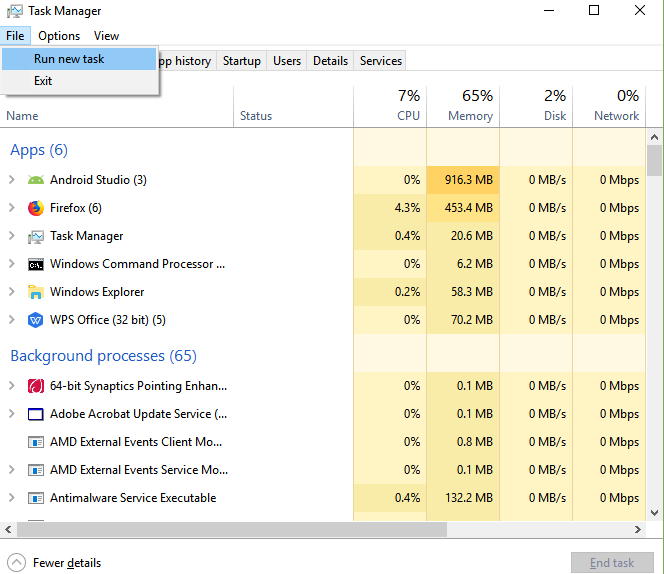
To open cmd in elevated mode : Goto your Task Manager(CTRL+SHIFT+ESC). Go to File> Run New Task.
After that ,you will get to see a window. Just type there “cmd” with checking one checkbox given there.
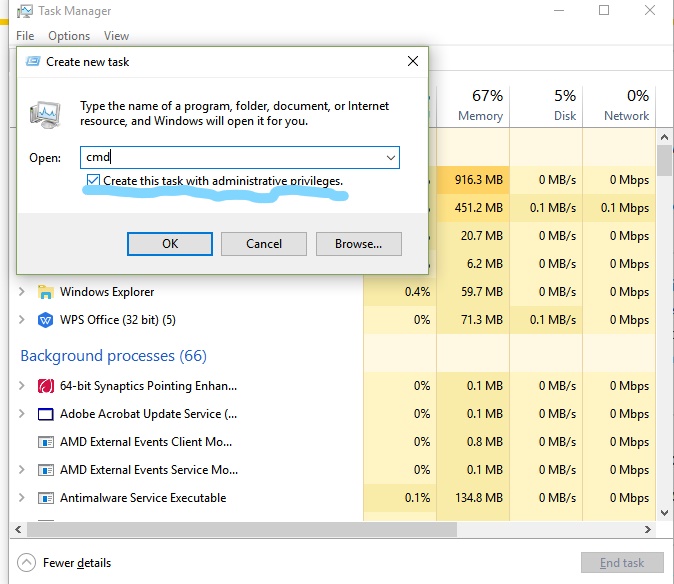
At this point you will get the elevated command promt.
Step2: Now on this command promt type “ powercfg/enenrgy ”
It will take 60 seconds to generate an energy report of your battery.
Copy the path given in cmd.
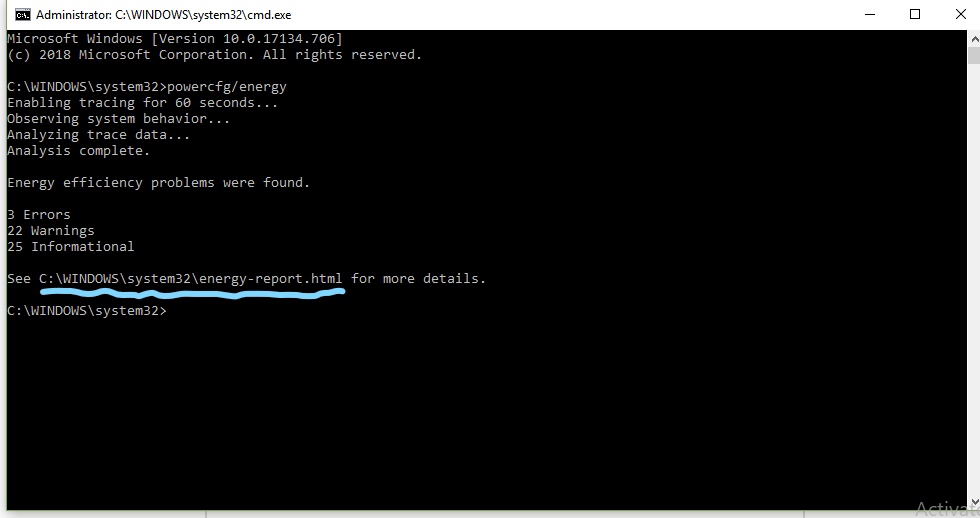
Step3: To access the energy report, press Windows+R and type paste the location we have copied from cmd.
And you get the battery health report of your laptop.

 DevScript Saga
Leave a comment